
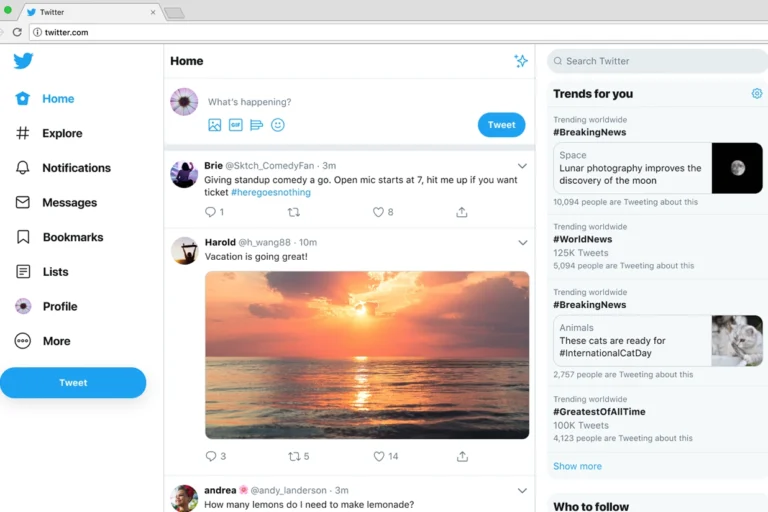
If you last paid attention to Twitter apps a few years ago, the landscape you remember is gone. The old world of elegant third-party clients built for clean timelines, muted noise, and easy multi-account switching largely disappeared once X tightened API access and made that kind of app commercially unworkable for most developers.
What is left is a different, more practical category of tools: monitoring dashboards, content planners, thread-writing apps, cross-platform schedulers, analytics tools, and carefully limited customer-service automation. None of them try to replace the X app itself. They sit around it.
So the useful question today isn’t which app has the nicest timeline. It’s which tool actually helps you publish consistently, respond quickly, understand what’s working, and avoid building a workflow that depends on a feature X could restrict next quarter. This guide walks through the categories that still function well, plus the trade-offs worth knowing before you commit to another subscription.
The New Reality of the Twitter App Ecosystem
Traditional Twitter clients are no longer a realistic option for everyday users. If you’ve seen old recommendations for standalone timeline apps, treat them as outdated — the API access those tools relied on has been restricted or made too expensive for small developers to sustain.
That shift changed what a Twitter app even means. Instead of replacing the official experience, modern tools now help you write posts, schedule content, monitor keywords, coordinate a team, analyze performance, or manage conversations across several platforms at once.
This matters because no third-party dashboard should be treated as a permanent fixture. X controls the API, account permissions, and access to advanced features. A tool that works well today can change its pricing or feature set with little warning tomorrow.
The result is a more professional but also more fragmented ecosystem, split roughly by use case:
- Creators tend to use a dedicated writing and scheduling tool built around threads.
- Small businesses usually prefer one dashboard covering X, LinkedIn, Instagram, Facebook, and other channels.
- Support teams need inbox management, routing, and response tracking, not a nicer scrolling experience.
- Marketing teams need approval workflows, reporting, and multi-user access.
One practical warning worth repeating: API access has become more expensive and less predictable for the developers building on top of X. That cost tends to show up as higher subscription prices, thinner free plans, posting limits, or features locked behind higher tiers. Before you commit to any service, check its current pricing page and confirm its X integration actually covers the specific actions you need — not just the ones implied in the marketing copy.
Power Monitoring and Real-Time Feeds with X Pro
For live monitoring inside the X ecosystem, X Pro — the successor to TweetDeck — remains the most direct option. It’s built for people who need several real-time columns running side by side rather than one algorithmic timeline.
A typical X Pro workspace might include columns for:
- Your home timeline
- Mentions and replies
- Direct messages
- A saved search for your brand name
- A hashtag tied to an event or campaign
- A list of competitors, journalists, customers, or industry accounts
This setup is especially useful during product launches, live events, breaking news, or support-heavy periods. Instead of repeatedly refreshing a search, you keep the conversations that matter visible in one screen.
Keep in mind that X Pro is not the old free TweetDeck. Access is tied to X’s subscription requirements, and those requirements can shift. Check the current terms before you build a daily workflow around it, so you’re not caught off guard if the access model changes again.
The biggest advantage here is immediacy. If a customer reports a problem, a journalist asks a question, or a post starts gaining traction, X Pro helps you spot it fast. A cross-platform scheduler is better for planning next week’s content, but it rarely feels as responsive for minute-by-minute monitoring.
When X Pro is worth using
X Pro makes sense if X is a serious communication channel for you and you regularly need to watch several conversations at once. It’s a lot less compelling for a casual user who posts once or twice a week and mainly wants a cleaner reading experience.
A simple rule helps here: use X Pro for watching and reacting, and use a dedicated publishing tool for planning and creating.
Dedicated Content Creation and Thread Builders
Writing well for X is harder than it looks. Good posts need a strong opening, readable formatting, and enough clarity that each one holds up even if read out of order. Threads add another layer of difficulty, since readers can drop off at any point.
That’s where tools like Typefully and Hypefury come in. Both are built for creators and professionals who want a calmer space to draft, organize threads, schedule posts, and check performance without getting pulled into the timeline itself.
These tools generally focus on the same practical jobs:
- Drafting posts in a distraction-free editor
- Building and rearranging threads before publishing
- Scheduling individual posts or full content queues
- Saving reusable ideas, templates, and recurring formats
- Reviewing engagement patterns to inform future posts
- Repurposing a strong idea for other networks
The real value isn’t scheduling by itself — it’s building a repeatable editorial habit. A consultant, for example, might keep separate idea folders for client lessons, industry observations, personal stories, and common questions, then turn a week’s worth of notes into a small batch of polished posts in one sitting.
For threads specifically, it helps to write the structure before polishing any individual post:
- Start with a clear promise or a genuinely useful problem.
- List the main points in order.
- Give each post one job.
- Use examples, steps, or mistakes to avoid.
- End with a practical next action or an invitation to reply.
Don’t assume every advertised feature will stay available indefinitely. Publishing permissions, analytics access, and automation options all depend on X’s policies and each provider’s API arrangement. Treat these apps as writing systems first and set-and-forget automation machines a distant second.
Typefully versus Hypefury: how to think about the choice
Both sit in the same creator-focused category, but your workflow should decide the winner. If you want a clean environment for thoughtful writing and review, prioritize the editor experience. If you want a more active system with templates, queues, and promotional workflow features, compare the automation controls closely.
The best way to decide is to actually try one on real work: draft a thread, schedule a week of posts, look at the analytics view, and see whether the whole process feels faster than writing directly in X. If it adds friction instead of removing it, it’s not the right tool for you yet.
Comprehensive Social Media Management Platforms
Most businesses don’t really need an X-only workflow. A product update that starts as an X post often needs a LinkedIn version, a shorter Threads post, a visual adaptation for Instagram, and a plan for handling customer questions. That’s why broader social media management platforms remain popular.
Buffer, Hootsuite, and Sprout Social are well-known examples built to manage several networks from one workspace. Their exact feature sets and X support can shift over time, but the basic purpose stays consistent: give a team one place to plan, publish, collaborate, and report.
Common capabilities across these tools include:
- Cross-platform post scheduling
- Content calendars
- Draft approval and team review processes
- Shared social inboxes
- Reporting dashboards
- Role-based access for employees and agencies
- Saved responses and internal notes for support teams
For a small local business, a tool like Buffer can be a sensible way to maintain a steady presence without logging into four apps every morning. A restaurant, for instance, can prepare weekly updates about specials and events, then adapt the wording for each channel instead of copying identical text everywhere.
Larger organizations often lean toward Hootsuite or Sprout Social once several people need to approve posts, answer customer questions, and produce formal reports. The key distinction is governance — once multiple employees can publish under one brand account, a shared calendar and approval path prevents expensive mistakes.
Don’t blindly cross-post
Multi-platform publishing is genuinely useful, but identical posts across every network are usually weak posts. X rewards concise, conversational updates and fast replies. LinkedIn tends to support more context. Threads often does better with a relaxed, discussion-oriented tone. Mastodon works best when you respect each server’s community norms rather than treating it as a mirror.
A better approach: start with one core idea, then adapt it per platform.
- On X: lead with the strongest observation and make it easy to repost or reply to.
- On LinkedIn: add context, lessons learned, or a professional case study.
- On Threads: make the opening more personal or conversational.
- On Mastodon: engage with the community directly instead of just dropping a copy of your post.
Good social tools support cross-posting because no single platform should be your only audience channel — but they shouldn’t be an excuse for lazy duplication.
Audience Growth and Analytics Tools
Useful growth tools don’t magically manufacture an audience. What they actually do is help you spot patterns — which formats earn replies, which topics get saved or reposted, when your audience is active, and whether your content is reaching the people you actually want to reach.
Look for analytics that answer practical questions, such as:
- Which posts lead to profile visits?
- Which topics create meaningful replies rather than empty impressions?
- Do short observations outperform threads for your audience?
- Are clicks coming from posts with a clear next step?
- Which recurring themes are losing steam?
- What posting windows consistently perform well enough to test again?
For most accounts, native X analytics plus the reporting built into your scheduling tool is genuinely enough. Start there before paying for a separate analytics subscription — you don’t need complex software to learn that your clearest, most useful posts are the ones that perform best.
For more advanced needs, social listening platforms can track brand mentions, product names, campaign tags, and competitor discussion. That’s valuable if you need visibility into the conversation happening beyond your own posts.
Treat analytics as a testing tool, not a scorecard. A post with modest reach can generate better customer conversations than one that goes wide but attracts no qualified interest. Decide what success looks like before you open the dashboard, not after.
A simple monthly review
Once a month, look back at your strongest and weakest posts and write down:
- The topic and format of your best-performing post.
- The post that generated the most useful replies or leads.
- The post that brought the most profile visits or link clicks.
- One format that underperformed and should be changed or dropped.
- Three new post ideas based on questions your audience actually asked.
This small habit is more useful than chasing follower counts. Growth that doesn’t lead to conversation, trust, traffic, or customers is mostly vanity.
Smart Automation and DM Management
Automation can make X manageable for businesses fielding support questions or campaign responses. It can also create a spam problem very quickly. The line between helpful and risky is thinner than it looks.
Safe uses of automation tend to be operational rather than aggressive:
- Routing inbound messages to the right support teammate
- Applying labels like billing, technical issue, partnership, or sales
- Creating internal alerts for urgent keywords
- Assigning conversations to specific team members
- Using approved response templates for common questions
- Logging social inquiries into a CRM system
An online retailer, for example, can use a shared inbox to make sure delivery questions don’t get buried among general mentions. A support lead can assign a message, add internal context, and confirm the customer actually got a response.
Be much more cautious with automated DM campaigns, mass replies, bulk following or unfollowing, and engagement bots. Even when a tool technically offers these features, using them aggressively can violate X’s spam rules, annoy real people, and put your account at risk.
A simple test works well here: would this action feel helpful if a real person received it unexpectedly? If the honest answer is no, don’t automate it.
How to Choose the Right Tool for Your Workflow
The best tool is the one that removes a real bottleneck. Don’t buy an expensive social suite because it looks impressive if your actual problem is finding time to write three posts a week.
For solo creators
Choose a focused writing and scheduling tool if you publish threads, educational content, or regular personal-brand posts. Prioritize:
- A strong writing editor
- Reliable scheduling
- Easy thread organization
- Idea storage and templates
- Basic performance reporting
- Cross-posting support if you publish beyond X
A practical setup for many creators is X Pro for real-time monitoring paired with Typefully or Hypefury for drafting and scheduling. Keep the system small enough that you’ll actually use it consistently.
For small businesses
Choose a multi-platform scheduler with a shared inbox if you post across several networks and field customer questions regularly. Prioritize:
- A unified content calendar
- Multi-network publishing
- Basic collaboration features
- Message management
- Simple reports you can understand without an analyst
Buffer, Hootsuite, and similar platforms are worth comparing here. Test the X connection, publishing flow, inbox functions, and reporting with your real accounts before signing an annual plan.
For enterprise marketing and support teams
Enterprise teams need more than scheduling — they need accountability. Look for:
- Approval workflows
- Permissions by role and team
- Detailed reporting
- Social listening options
- Customer-service routing
- Integration with help-desk and CRM systems
- Security controls and audit visibility
At this level, the tool should support your operating process rather than force you into a generic one. Ask how it handles account access when employees leave, how urgent posts get approved, and how social conversations flow into your existing support workflow.
I personally use Twhirl (http://www.twhirl.org/download.It) works fine.Thank you for posting this useful stuff.I’m going to testing some other twitter tools mentioned above.